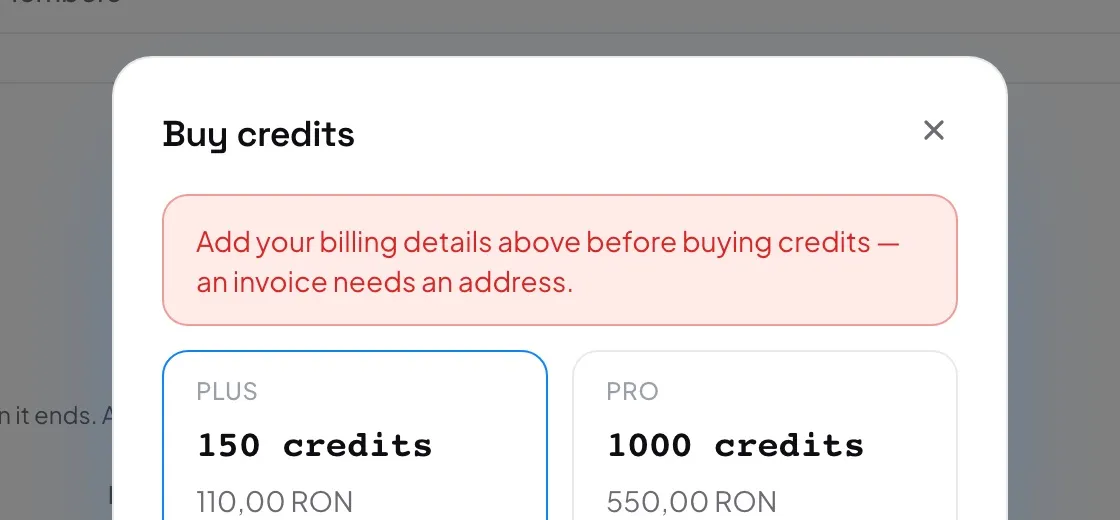
- Open Settings and the Billing tab. Only an organization admin sees Add credits.
- If you have not done so yet, fill in Invoice details and press Save billing details. See Billing details and invoices.
- In the Credits card, press Add credits.
- Choose a package. Each one shows its credits and its price.
- Enter your card details and press Pay. If your bank asks you to confirm the payment, do it in the window that opens.
- Payment successful shows what you bought and your New balance. Press Done.
The currency follows the country in your billing details: lei for Romania, US dollars for the Americas, euro everywhere else. To see current prices, go to Pricing.
- The balance has not changed yet.
- The card is charged first, and the credits are added a moment later. If the window says your credits are on their way, they are: reload the page in a minute and they will be there.
- Can I buy credits in the mobile app?
- No. Credits are bought only in the web console at go.anylang.app.