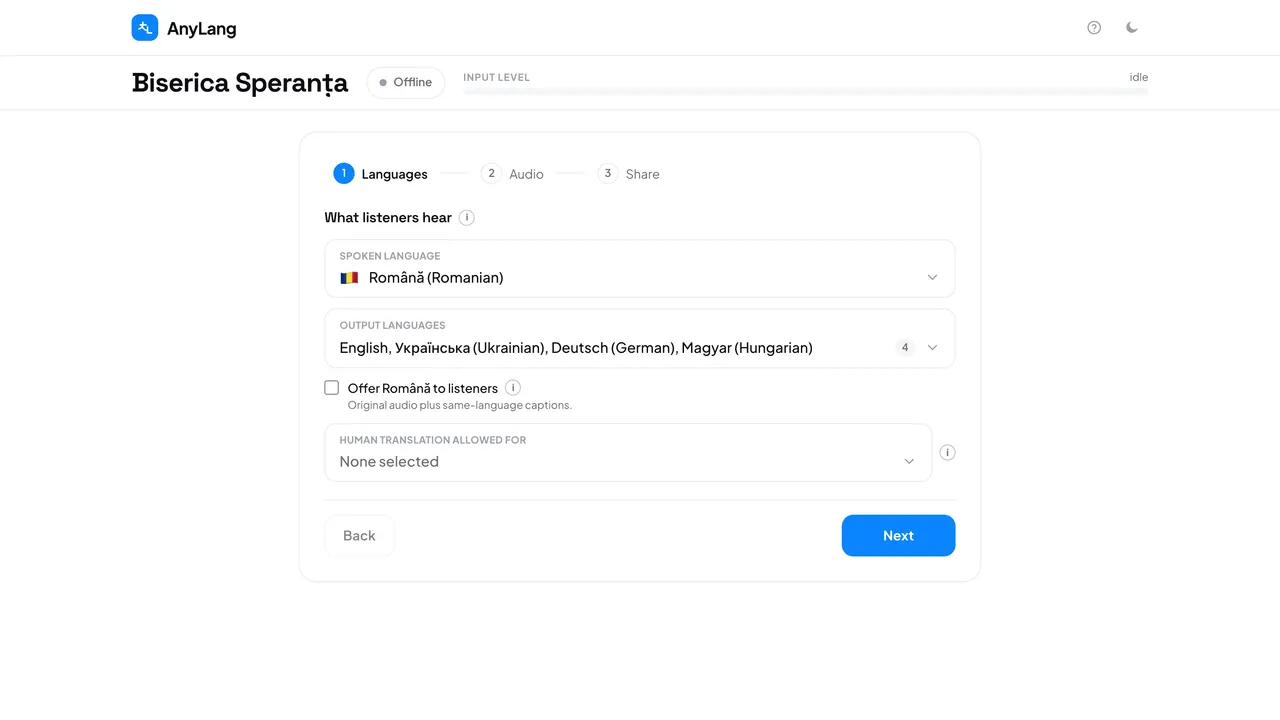
A broadcast takes three short steps to set up. Every choice saves as you make it, and you can move back and forth between the steps before you start.
- On the console home page, press New session.
- Languages: choose the language you will speak, and up to five languages to translate into.
- Audio: choose This browser to speak into this computer, or Stream key to send the sound from a video program such as vMix or OBS.
- Share: check where listeners will go. Optionally keep one permanent link for every service.
- Press Start broadcast. The browser asks once for the microphone — press Allow.
- Give people the link or the code on screen. They open it, pick a language and press Play.
- When the service is over, press Stop. The summary appears straight away.
Good to know: Nothing is charged until you press Start broadcast, and a language nobody listens to is not translated and costs nothing.
Careful: After Start, the languages cannot change. To change them, stop and start a new session.