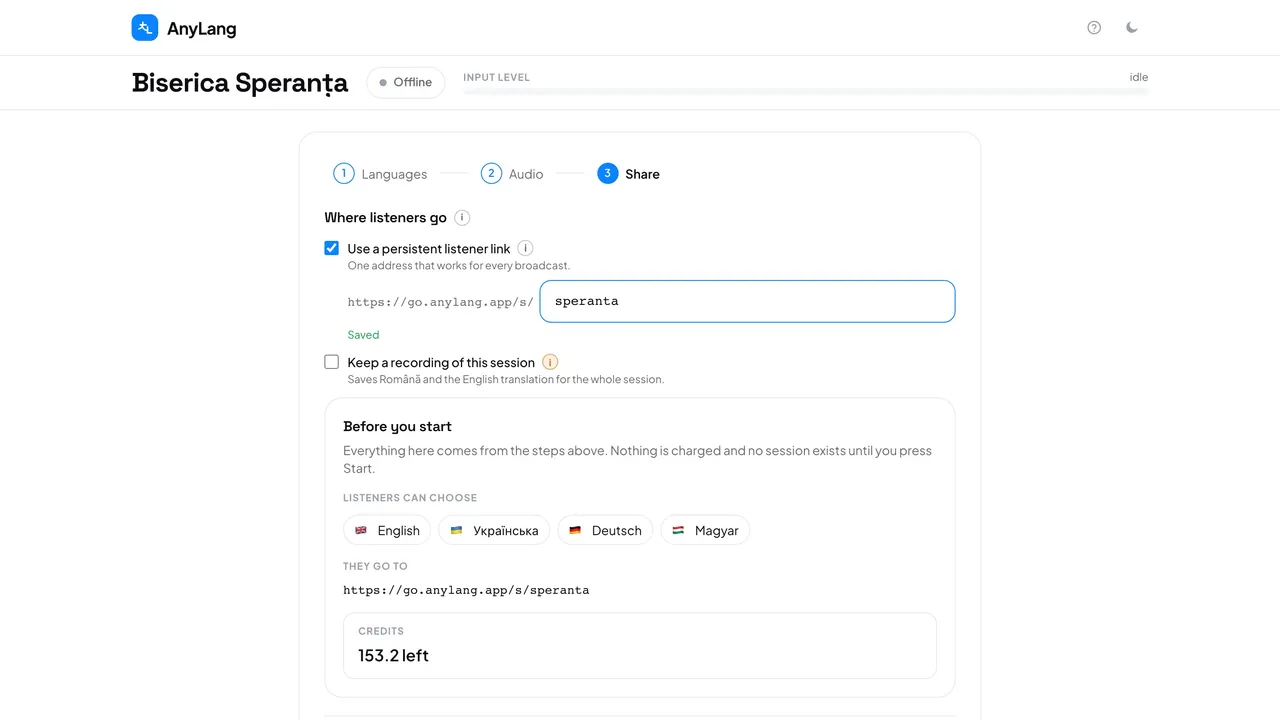
Without it, each broadcast gets a new six-character code that stops working when the broadcast ends. With it, you print the address once and it leads to whatever you are broadcasting.
- Press New session and go to step 3, Share.
- Tick Use a persistent listener link.
- Type the name: 3–10 letters or numbers, no spaces or hyphens. The console checks it (Available) and saves it as you type (Saved).
- Print it, put it on your website, or make a poster. During the broadcast the console shows it as Every broadcast, above today's code, This broadcast only.
Careful: People who kept the link from an earlier service can be listening from the first second you start. Keep that in mind when you test the sound.
- Can I leave one service off the link?
- Yes. Untick the box before you start. The name stays yours, but that broadcast is reachable only by its own code.
- Can I rename it?
- Yes, before you start. The old address stops working at once, so anything printed with it has to be replaced.
- Who can set it?
- Only an admin, and not while a broadcast is running.