- Sign in at go.anylang.app and open Translate. With no broadcast running you see Nothing to translate right now — leave the page open, it refreshes on its own.
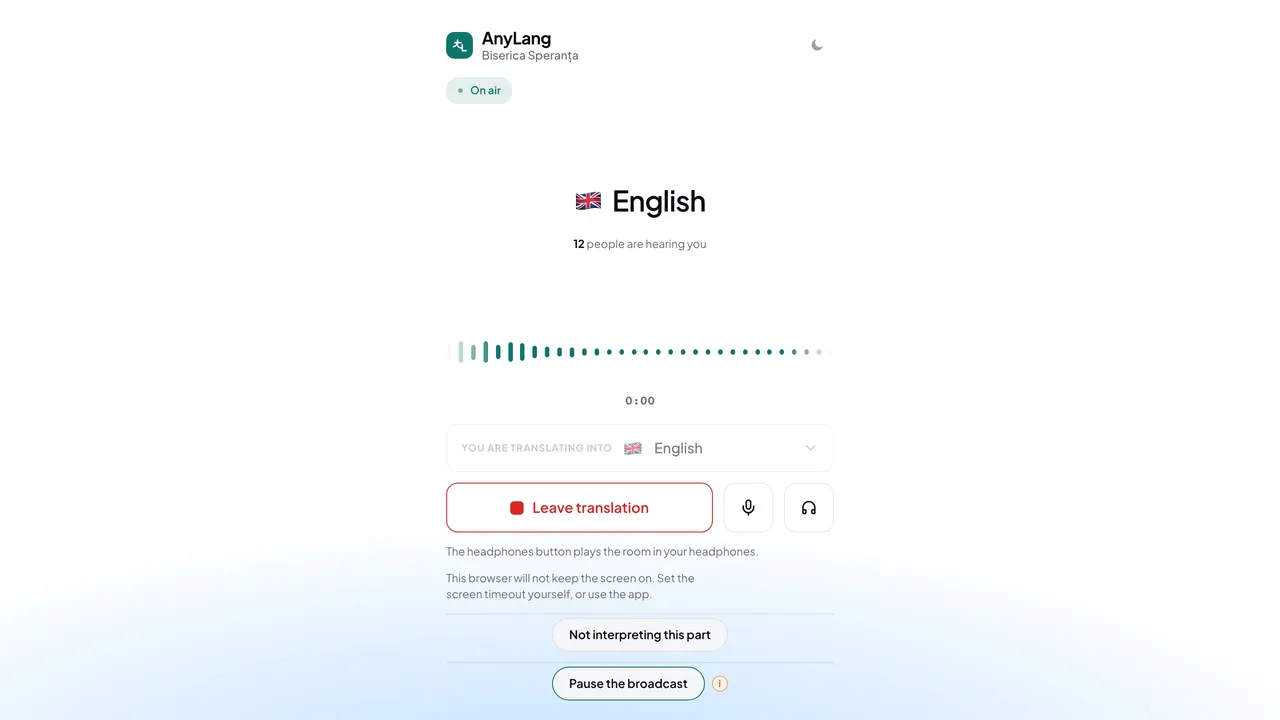
- When the broadcast starts, the booth appears. Choose your language under Translate into.
- Press Join translation. The browser asks for the microphone — press Allow.
- You are On air. The screen shows how many people are hearing you.
- To stop, press Leave translation, then Leave. Your listeners move to the AI translation.
One interpreter per language. A language someone else holds is marked another interpreter is on it and cannot be taken. To switch language, leave the first one, then join the other.
Careful: While you hold a language, the booth will not let you open another page: leaving it would move your listeners to the AI without warning. Press Leave translation first. Use headphones, so the room's sound does not reach your microphone.