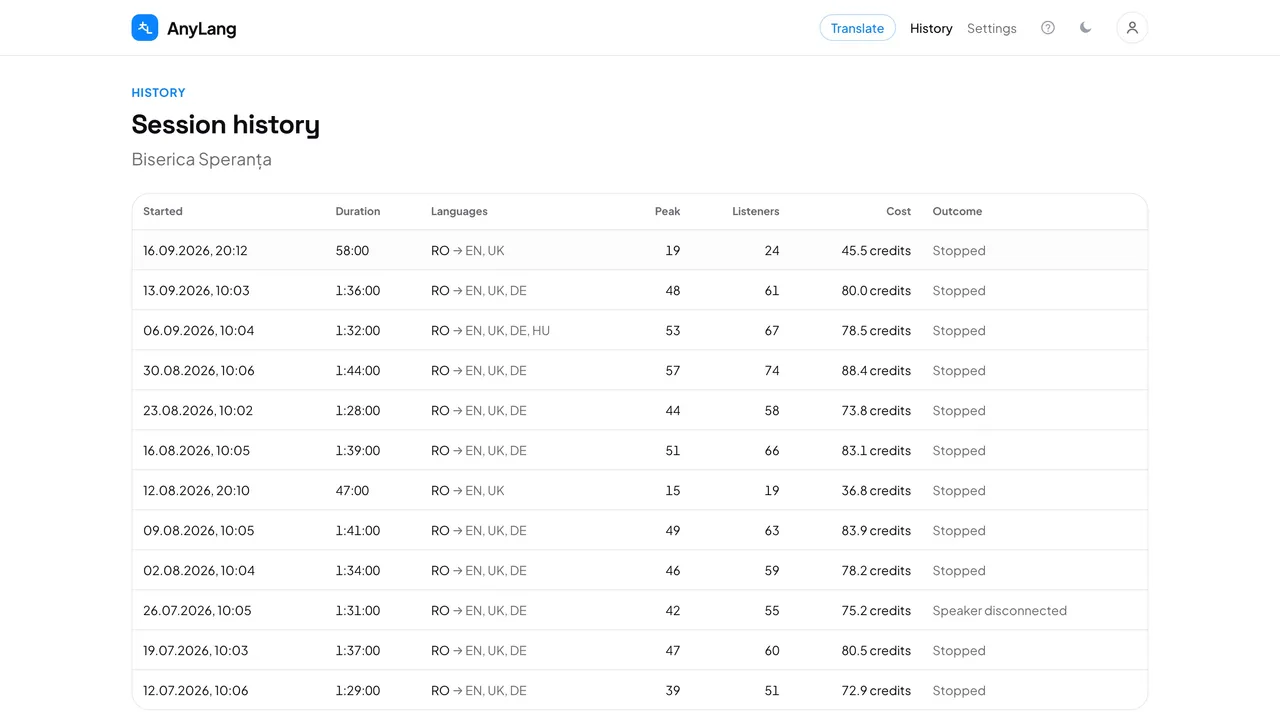
The table shows Started, Duration, Languages, Peak (most listeners at once), Listeners (different people), Cost in credits and Outcome — for example Stopped or 3-hour limit reached. Press Load more for older sessions. The home page shows the most recent ones under Recent sessions.
One session in detail
- Credits by language: what each language cost, biggest first. A language costs only while it has listeners.
- Audience: peak, unique listeners and average listening time, plus a chart of how many were connected at each moment.
- By language: press a language to draw only its listeners in the chart; press it again to see everyone. Where a person interpreted, you see how many heard the interpreter, the AI or the original.
- Listening time by source: total hours heard from the interpreter and from the AI, summed across listeners.
Good to know: The same page opens when you press Stop. Below it are the transcript and, if you kept one, the recording. Interpreters cannot see this history; they have their own.