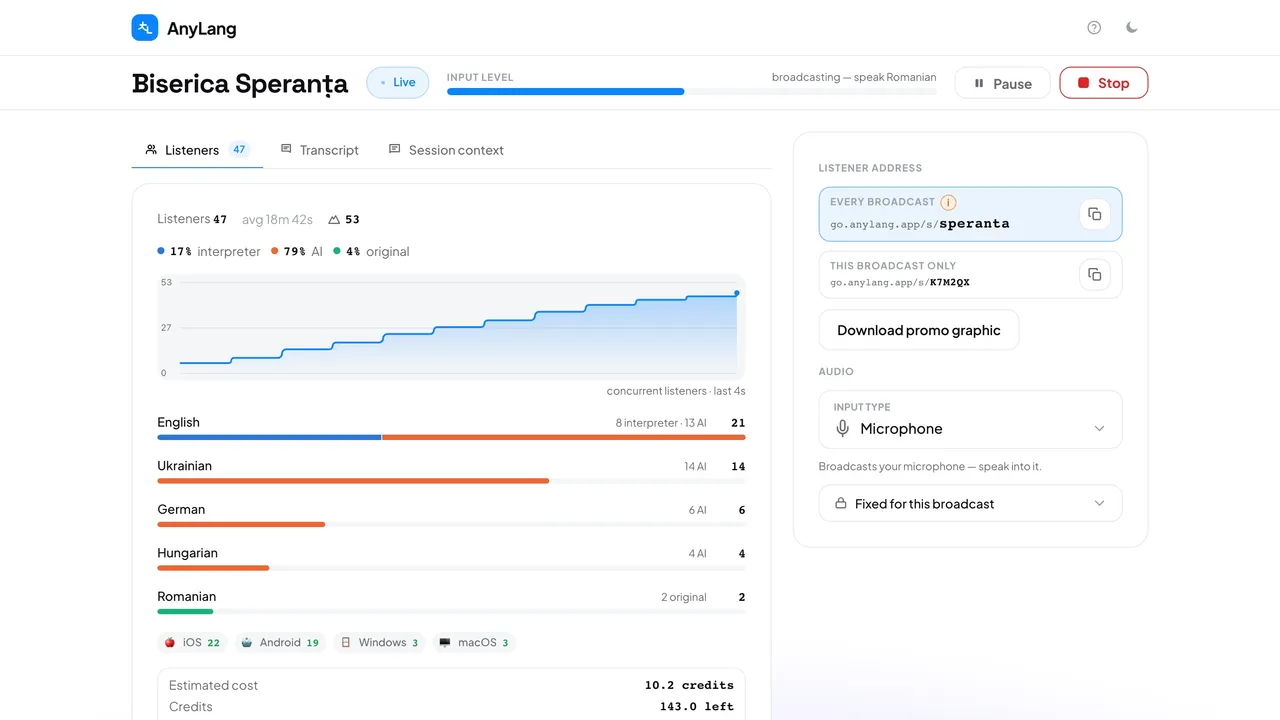
The top bar
The status reads Live, Paused, Paused — resume or Live elsewhere. Input level moves when sound comes in, and the line above it says what is happening right now.
Listeners
- How many are listening now, how long they stay on average, and the peak. The chart updates by itself.
- Each language, with how many hear the interpreter, the AI or the original. Press a language to follow it alone on the chart; press it again to go back.
- The platforms people listen on. Press one to see each listener's device, browser and language.
- Estimated cost and the Credits you have left. It is an estimate; the exact amount is charged when the broadcast ends.
Transcript and Session context
Transcript shows what is said and translated, newest first. Filter by language, or press Parallel to see languages side by side. A language appears only while someone listens to it. Session context is where you give the AI context.
The right column
Listener address holds the links to give out, with a copy button, and Download promo graphic. Audio is where you change the source. Fixed for this broadcast lists what you set before Start.