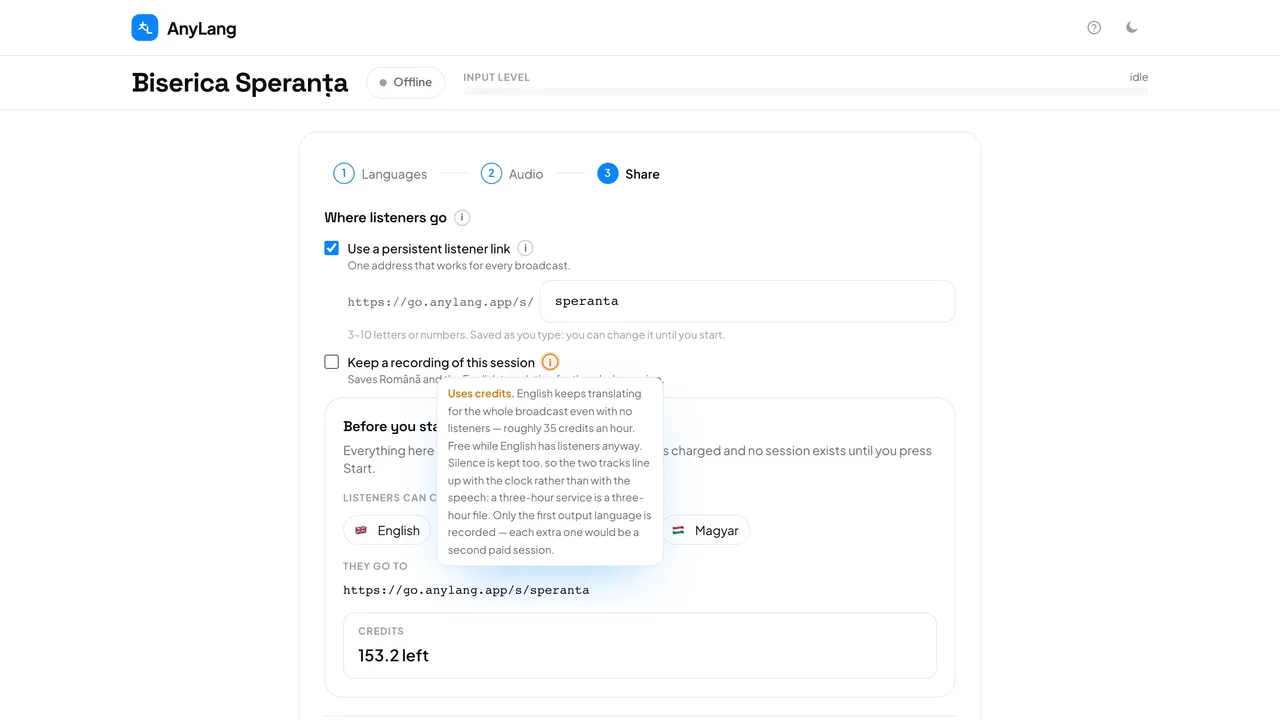
- Press New session and go to step 3, Share.
- Tick Keep a recording of this session. The line under it names the two languages that will be saved.
- Start and run the service as usual.
- After Stop, open the session in History to listen to the recordings.
Careful: A recording keeps the first output language translating for the whole broadcast, even with no listeners: roughly 35 credits an hour. It costs nothing extra while that language has listeners anyway.
Silence is kept too, so both tracks follow the clock: a three-hour service is a three-hour file. Transcripts are saved whether or not you record.
- Why only one translated language?
- Each extra language would be a second translation paid for the whole service.
- Can I switch it on during the service?
- No. It is fixed at Start. The choice stays ticked for your next sessions until an admin unticks it.